
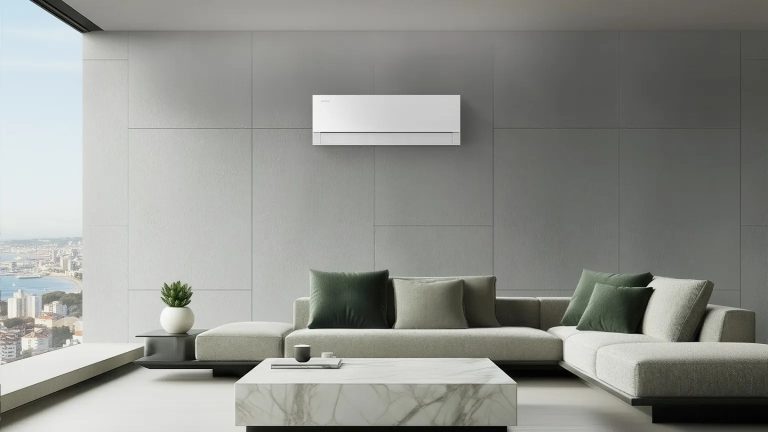

A Samsung air conditioner can do more than cool a room. Features such as Good Sleep mode, WindFree cooling and SmartThings controls are designed to improve comfort, manage airflow and make it easier to control energy use.
Knowing what these functions do can help you get more from your unit.
Here are six ways to make better use of selected Samsung air conditioner features and keep your AC working well.
Good Sleep Mode
Keeping a room at the same temperature throughout the night may leave you feeling too cold or too warm. Samsung’s Good Sleep mode is designed to adjust cooling as you move through different stages of sleep.
The feature cools the room as you settle in, then adjusts the temperature during the night to support a more comfortable sleeping environment. On selected compatible models, a Galaxy Watch connected through SmartThings can detect when you fall asleep and activate Good Sleep mode automatically.
Avoid direct cold air with WindFree technology
If you want a cool room without air blowing directly on you, WindFree technology offers an alternative to conventional direct airflow.
On compatible models, air is dispersed through thousands of small holes on the unit’s front panel. This helps distribute cool air more gently around the room, making the setting useful when working, relaxing or sleeping.
Control your Samsung AC remotely with SmartThings
Selected Wi-Fi-enabled Samsung air conditioners can be controlled through the SmartThings app on a smartphone. The app allows users to switch the unit on or off, change settings, create operating schedules and monitor energy consumption remotely.
This means you can adjust your cooling without being next to the unit. You can also set a schedule that matches your routine, rather than leaving the AC running longer than necessary.
Reduce unnecessary cooling with the Motion Detect Sensor
Some Samsung WindFree air conditioners include a Motion Detect Sensor that identifies when a room is unoccupied.
When the sensor detects no movement, the AC can change its operating mode to help reduce unnecessary energy use. The feature can be useful in rooms such as home offices and living areas, where occupancy changes during the day.
Understand how Digital Inverter technology works
An air conditioner does not always need to run at full power to maintain a comfortable temperature. Samsung’s Digital Inverter Boost technology is designed to maintain the set temperature with fewer fluctuations.
Samsung says the technology can reduce energy use by up to 73% compared with a conventional Samsung model under specified test conditions. Actual savings will vary depending on the model, room conditions, settings and usage.
Clean and maintain your air conditioner
Advanced features work best when an air conditioner is properly maintained. Dust can build up on filters and restrict airflow, so check and clean them as directed in your model’s user manual.
Keep the area around the indoor unit clear to allow air to circulate. The outdoor unit also needs adequate ventilation, so avoid blocking it with objects or debris.
Arrange professional servicing when necessary. Unusual noises, water leaks or a noticeable drop in cooling performance may indicate a problem that needs attention from a qualified technician.
Make more of your Samsung air conditioner
From adjusting cooling during the night to distributing air more gently and enabling remote control, Samsung’s air conditioner features are designed to make home cooling more convenient.
Features and compatibility vary by model, so check your unit’s manual to see which functions are available. Using the right settings and keeping the AC properly maintained can help you get more from your air conditioner.